NFL LiveScore
On your display
The live score of **your NFL team**
- Topic
- Miscellaneous
- Includes
- Script
Runs on
- Does not run on 32×8 (TC001 & DIY) Made for 52×16 (TC002). Needs the built-in synthesizer and a voice that reads text aloud.
- Runs on 52×16 (TC002)
- Does not run on 32×8 with AWTRIX 3 (TC001 & DIY) Made for AWTRIX NG.
Choose your display in the next step.
Flow description
NFLScore for AWTRIX NG (Ulanzi TC002)
Version 1.1 · by Hank_the_Tank / Claude · for the 52×16 panel of the Ulanzi TC002
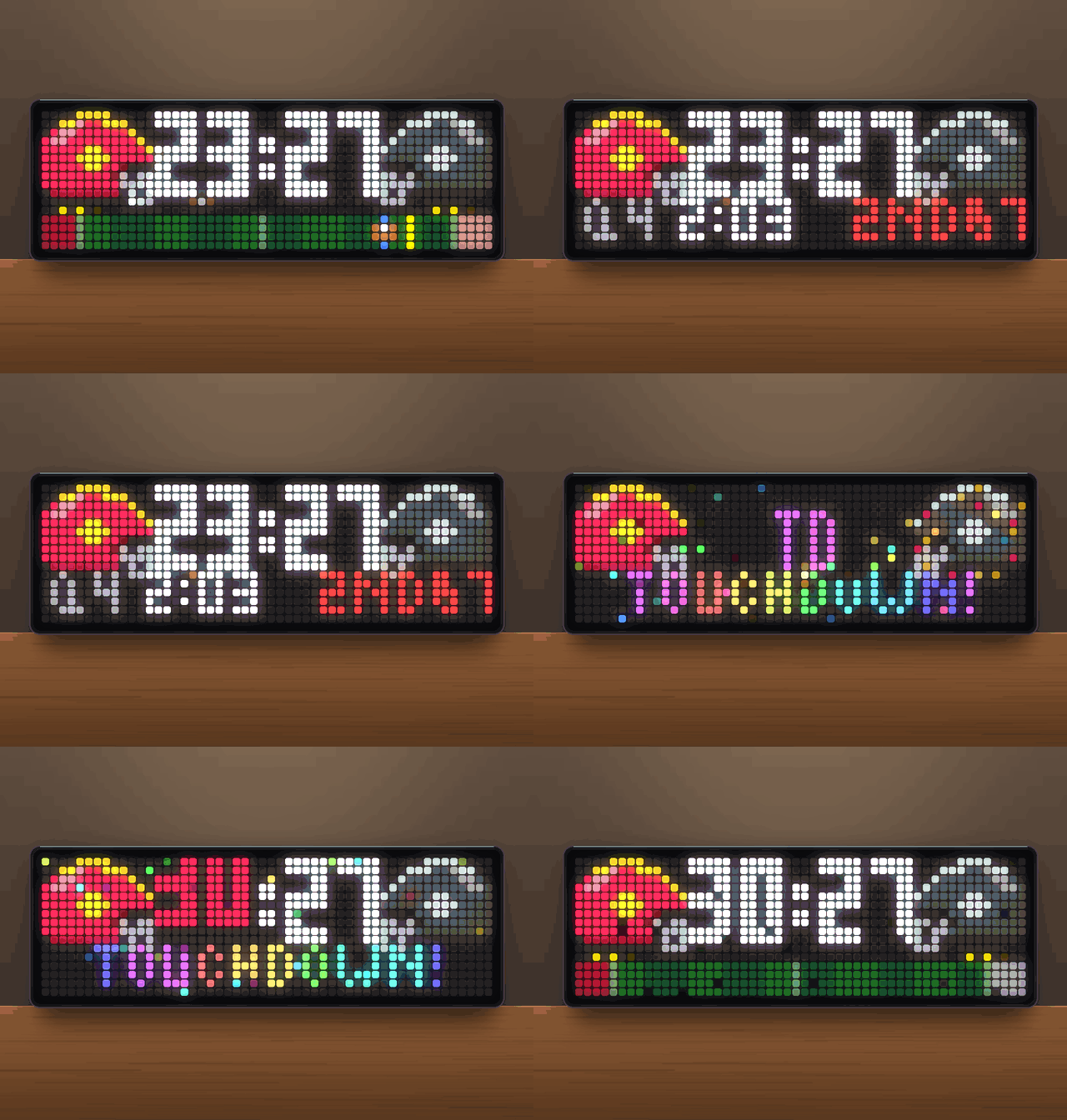
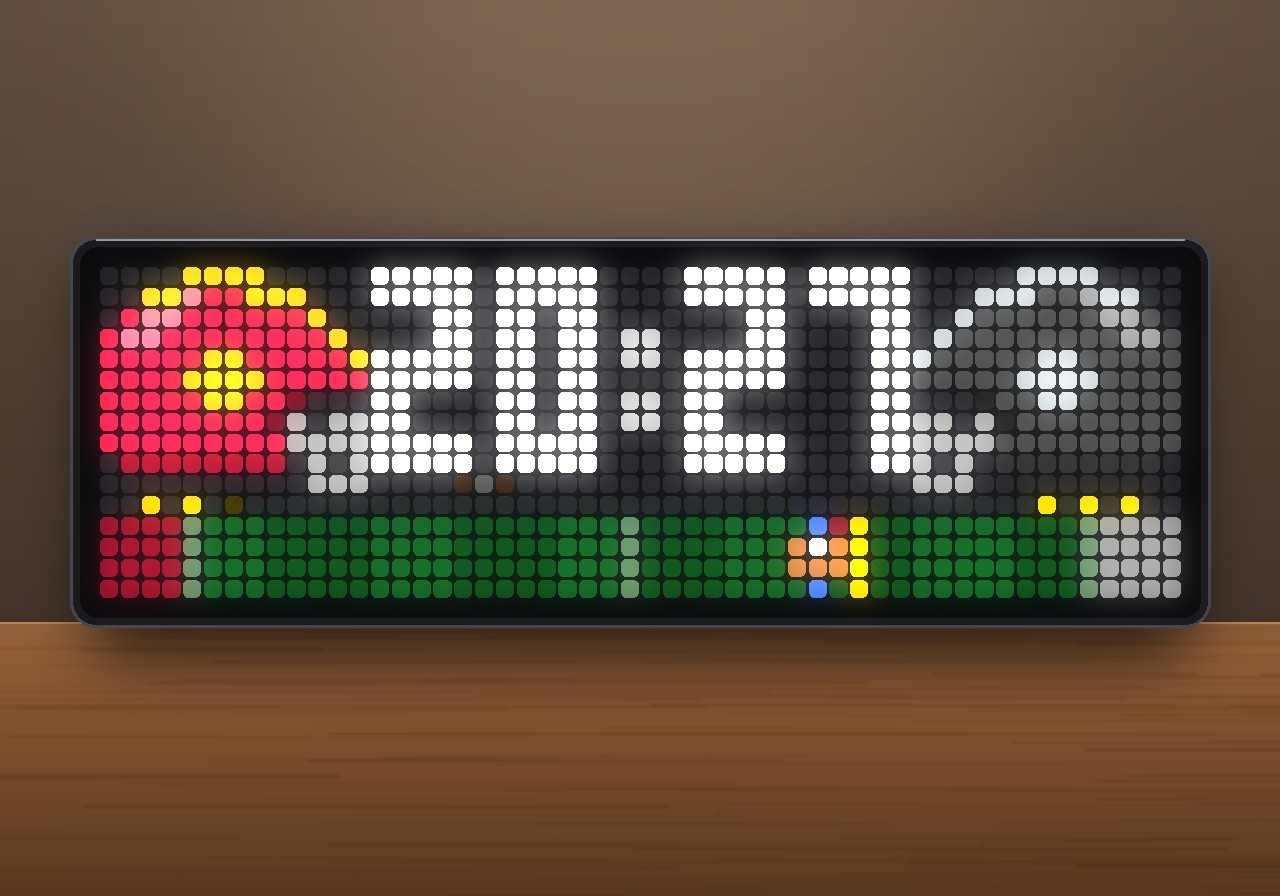
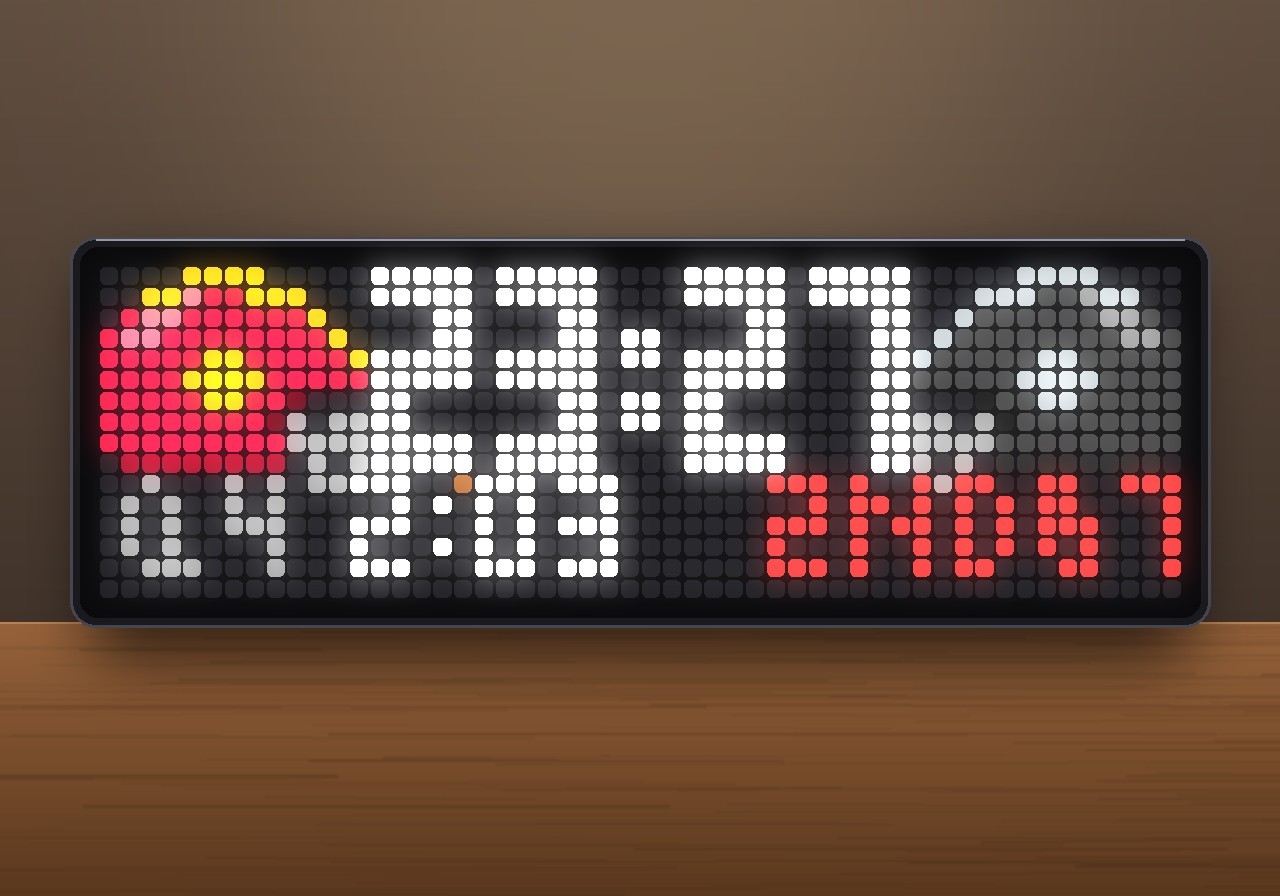
The live score of your NFL team. Both helmets are drawn in their team colours, and a mini field below them shows where the ball is, the first-down line and the red zone. The app also shows the quarter, the game clock and down & distance. Every score gets its own animation and sound: fireworks and a "Charge!" fanfare for a touchdown, and a ball sailing through the uprights for a field goal. The data comes from ESPN's public scoreboard API, so you don't need an API key or an account.
The app only joins the rotation while your team is playing. On all other days it stays out of the way.
┌──────────┬──────────────────┬──────────┐
│  ▄███▄   │                  │   ▄███▄  │
│ ███●██╡  │     23  :  27    │  ╞██●███ │  ← away helmet · score · home helmet
│  ▀███▀   │      ▪▫▪         │   ▀███▀  │  ← football below the team with the ball
│  ● ● ○   │                  │   ● ● ●  │  ← timeouts left
├──────────┴──────────────────┴──────────┤
│▓▓░░░░░░░░░░░░░░░░░░░░░░░░░░░░●░│░░░░░▓▓│  ← end zones · ball · first-down line
└────────────────────────────────────────┘
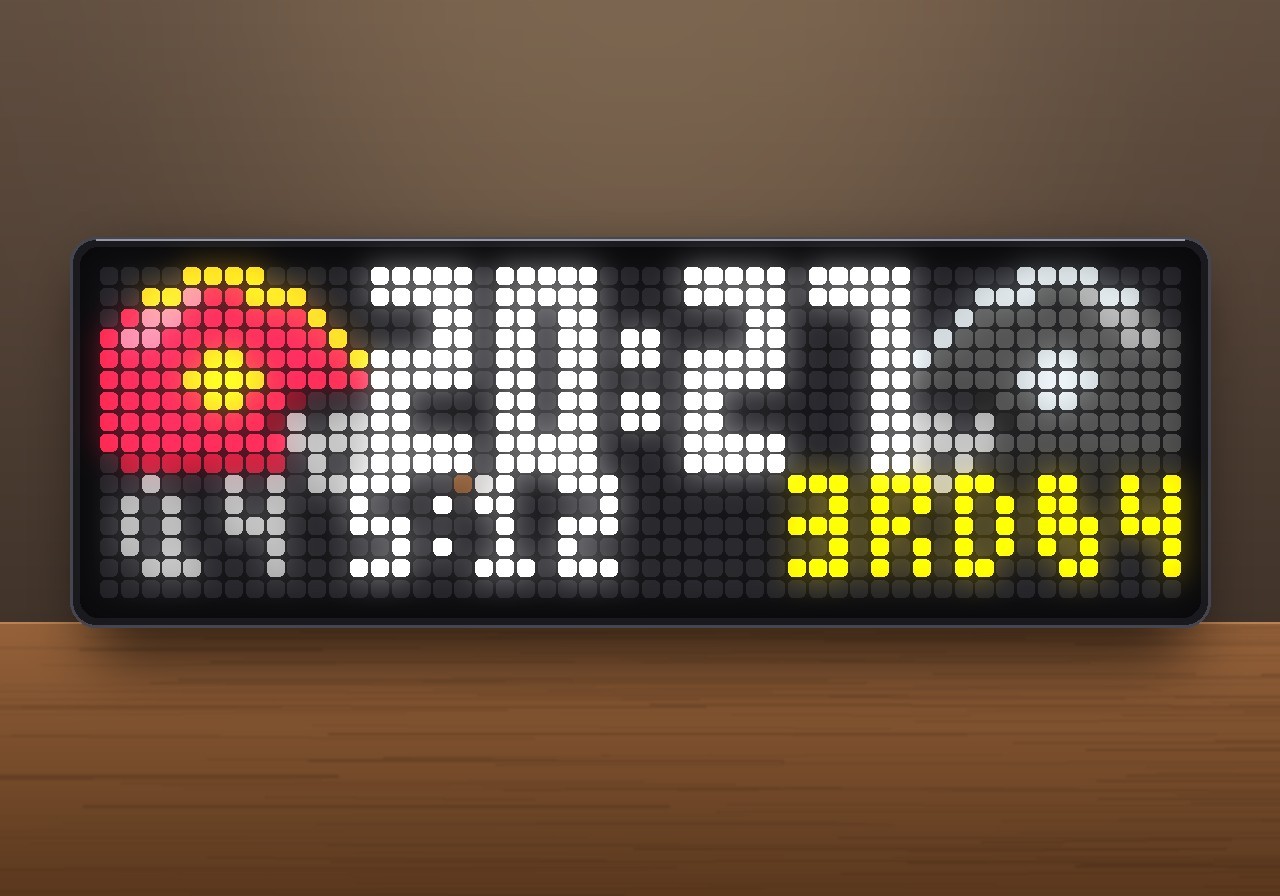
       (takes turns with:  Q4 2:03   2ND&7)
Features
- Hidden until kickoff. The app looks up your team's next game (preseason, regular season and playoffs). It skips its turn in the rotation until the game is live.
- Two helmets in team colours. The away team is on the left and the home team on the right, as on US scoreboards (KC @ LV). Each helmet has its shell colour, a centre stripe, a logo dot and a grey facemask. A shell that would be too dark for the LEDs, like a black one, is lightened to dark grey, and a stripe too close to the shell colour is switched to white or black.
- Big score in the middle. It uses block digits with a slim 1. When both teams have two-digit scores, the digits switch to a narrow form and the helmets move one pixel outwards.
- Possession. A small football glows below the score of the team with the ball.
- Mini field in the bottom rows:
- end zones in both teams' colours, turf in 10-yard stripes, the goal lines and the 50-yard line
- the ball on the line of scrimmage (blue marks) and the yellow first-down line
- a light that runs from the ball towards the first-down line in the offense's colour
- in the red zone, the end zone being attacked pulses red
- the remaining timeouts of each team as three dots below its helmet
- Info row. It takes turns with the field and rolls up and down: quarter and game clock on the left (
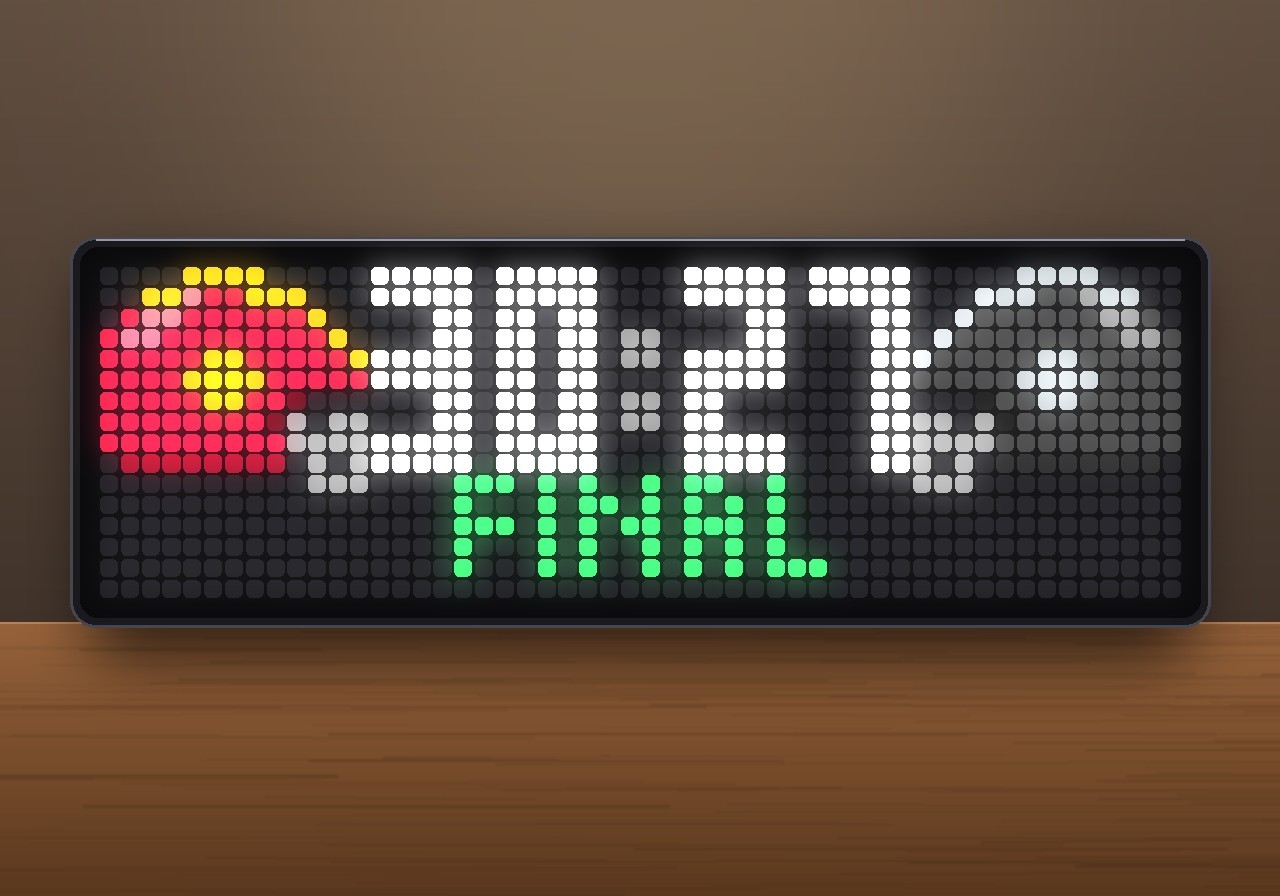
Q3 12:36), down & distance on the right (2ND&6,1ST&GOAL). The down is yellow, or red in the red zone. Between plays it showsHALFTIME,END Q1and finallyFINAL, in green when your team won and red when it lost. - Animated. The helmets fly in from the sides, the score drops into place and the field grows from the middle. While the app is on screen, a shine sweeps across helmets and digits, and the colon pulses while the game is live.
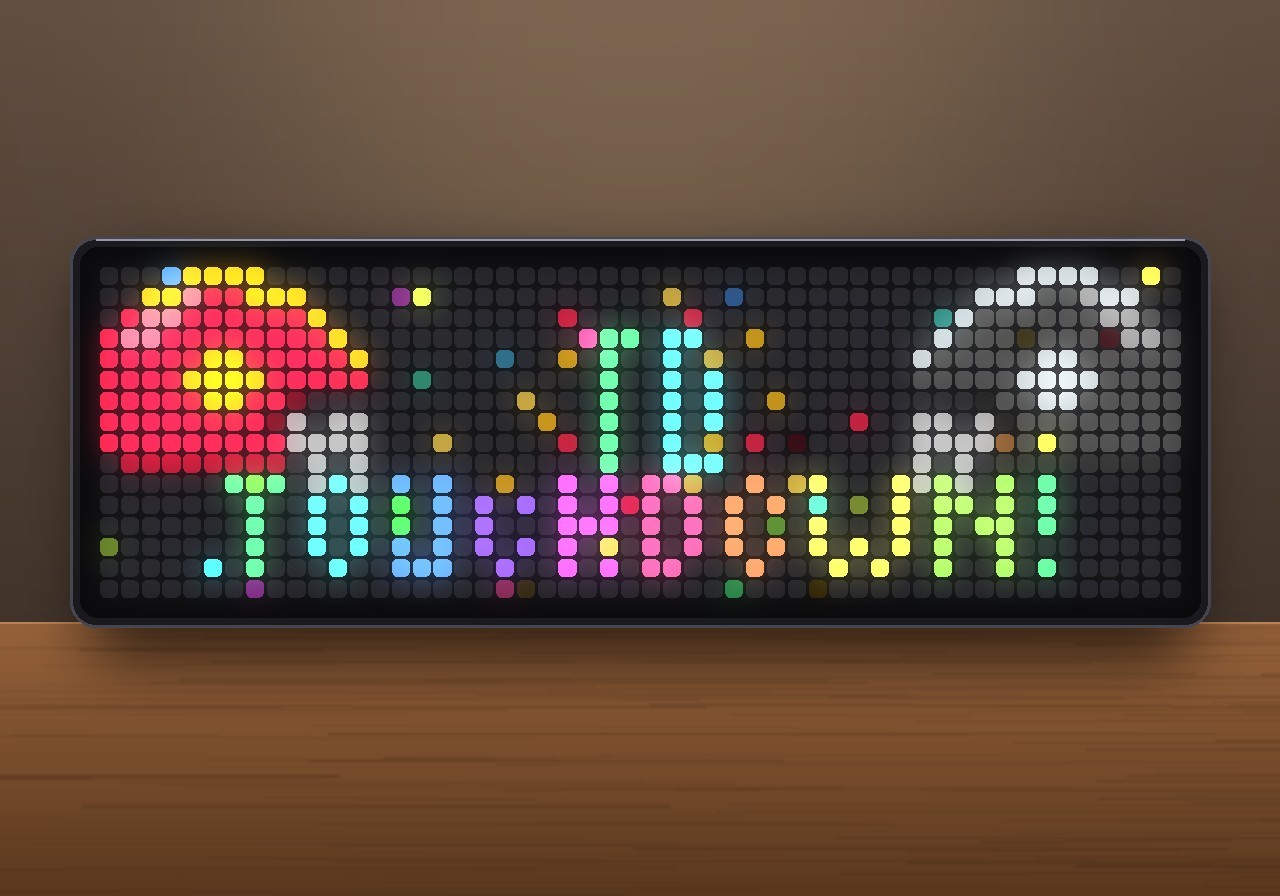
- Touchdown for your team.
- A flash, and your helmet bounces.
- A big rainbow TD and TOUCHDOWN! pop in letter by letter.
- Three fireworks burst in your team's colours, followed by confetti across the whole panel.
- The new score drops in, bounces and glows in your team colour.
- A synthesized "Charge!" fanfare plays, with snare roll, timpani and a roaring crowd.
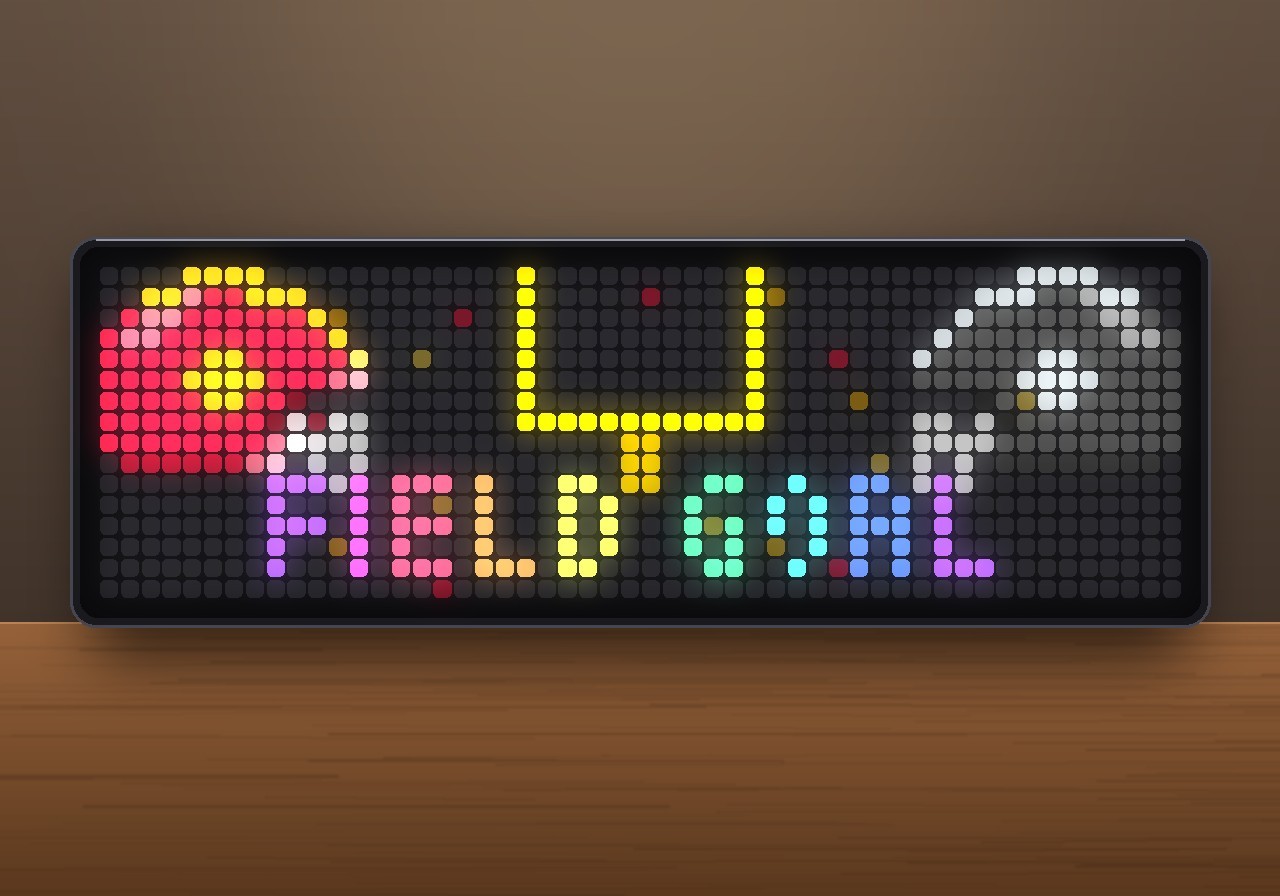
- Field goal for your team. The uprights appear and the ball flies through them, getting smaller as it goes. The posts flash, a burst of sparks goes off and FIELD GOAL pops in. The sound is the thump of the kick, then a bell and a brass chord.
- Safety, 2-point conversion and extra point get their own smaller celebrations (
+2with SAFETY or 2-PT GOOD, and PAT GOOD). - Opponent scores. Their word appears dimmed in their colours, with a sad trombone for a touchdown. No fireworks.
- Whistle and horn. A whistle at kickoff and at the start of the second half, a stadium horn at halftime and a long one at the end of the game.
- Jumps in. At kickoff and on every touchdown, field goal and safety, the app comes to the front of the rotation. You can switch this off.
- Spoken call. After the jingle, the clock calls out "Touchdown Chiefs!" or "Field goal Raiders!" with its built-in offline voice. Choose all teams or only your team.
- Final score. After the game, the result stays in the rotation for 15 minutes. Then the app hides again and waits for the next game.
- Light on the network. The app checks the schedule every 30 minutes. From two minutes before kickoff it checks the score every 20 s. Press the middle button while the app is on screen to update right away.
Requirements
- An Ulanzi TC002 running AWTRIX NG, firmware 1.1.6 or newer (tested on 1.1.7 and 1.2.0). The jingles, whistle and horn use the TC002's built-in synthesizer. On older firmware the display works, but sounds and the spoken call may stay silent.
- A 52×16 display. The layout is written for it and is not meant for 32×8 clocks.
- No icons are needed. Helmets, field and digits are drawn in code.
Installation
- Open the AWTRIX web interface in a browser, using the clock's IP address or
http://awtrixng-xxxxxx.local. - Go to the Scripts tab and create a new script called
NFLScore. - Paste the contents of
NFLScore_share.axand press Save. - Open the Apps tab, click the gear on the NFLScore row and pick your team from the list.
As long as your team isn't playing, you won't see the app. That is intended. If the panel shows a red ERR:, the error message is shown next to the script in the Scripts tab. Please include it in your feedback.
Settings
All settings are on the Apps tab, behind the gear on the NFLScore row. Saving restarts the app.
| Setting | Default | What it does |
|---|---|---|
| My team | KC | Your team, by its usual abbreviation: ARI, ATL, BAL, BUF, CAR, CHI, CIN, CLE, DAL, DEN, DET, GB, HOU, IND, JAX, KC, LV, LAC, LAR, MIA, MIN, NE, NO, NYG, NYJ, PHI, PIT, SF, SEA, TB, TEN or WSH |
| Update during the game | 20 s | How often the score is checked while the game is on (10–300 s) |
| Show final score | 15 min | How long the result stays after the game. 0 hides the app right away. |
| Bottom row | both | field: only the mini field. info: only quarter, clock and down & distance. both: the two take turns every 6 seconds. |
| Jump in at kickoff and scores | on | Brings the app to the front at kickoff and on every touchdown, field goal and safety |
| Sound | all | off: silent. effects: whistle, horn and jingles. mine: also the spoken call for your team's scores. all: also for the opponent's scores. Uses the app volume from the Audio tab. |
| Score | white | Colour of the digits and of the game clock |
Good to know
- How a score is recognised. ESPN does not say what kind of score happened, so the app reads it from the change in points: 6 to 8 is a touchdown (the extra point often arrives in the same update), 3 is a field goal, and 2 is a 2-point conversion if the same team scored a touchdown in the last four minutes, otherwise a safety. 1 is the extra point. A jump of more than 9 points at once is treated as a stale ESPN answer and resynced without a celebration.
- The game clock is not live to the second. The NFL clock stops all the time, so the app shows the time from the last ESPN update instead of counting down on its own. Lower Update during the game if you want it to follow more closely.
- The field does not switch sides. In the real game, the teams change ends every quarter. On the panel, the home team always defends the right end zone, next to its helmet, so the picture stays easy to read.
- Postponed or cancelled games are skipped automatically. So is a game that never kicks off within six hours of its planned start.
- The app sends the user agent
curl/8.7.1, because ESPN rejects some others with 403 Forbidden.
Changelog
- 1.1 – Cleaner digit 1: a short flag and a full-width stem without a foot, only as wide as it needs to be.
- 1.0 – First release.
Sign in to view and copy the code of this flow.
Discussion 0
Ask a question, suggest a change or share how you use it.
No comments yet. Start the conversation.
More flows for AWTRIX NG Scripts or Miscellaneous
Something wrong with this flow? Report it.
Have an idea?
Sign in to ask questions and join the conversation.