Clawd Virtual Pet - Hybrid


Use with N8N
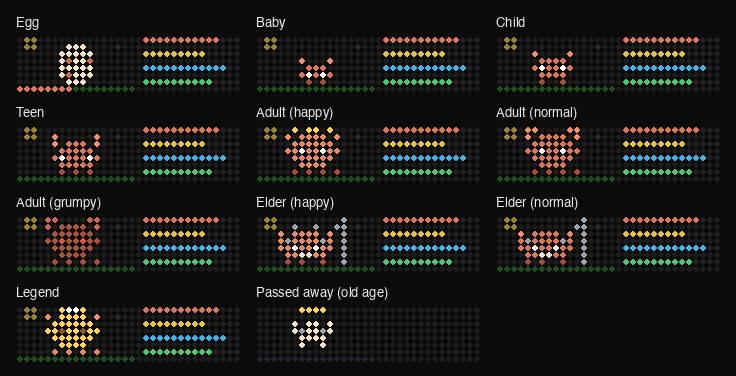
Blueforcer's Clawd crab, hybrid: the clock draws it, n8n keeps it alive. Five difficulty levels, elder and legend stages, Home Assistant over MQTT.
- Topic
- Gaming
- Includes
- Flow
Runs on
- Runs on Ulanzi TC001
- Runs on Ulanzi TC002
- Runs on ESP32 (DIY)
- Runs on ESP32-S3 (DIY)
- Does not run on Ulanzi TC001 with AWTRIX 3 Made for AWTRIX NG.
Flow description
A virtual pet crab for your AWTRIX NG: hatch it, feed it, play Star Catch with it, keep it clean, and watch it grow up and grow old. It is Blueforcer's original Clawd, moved off the clock by Moepchi so it fits next to your other apps, and now a hybrid: you choose how much runs on the clock.
What's new
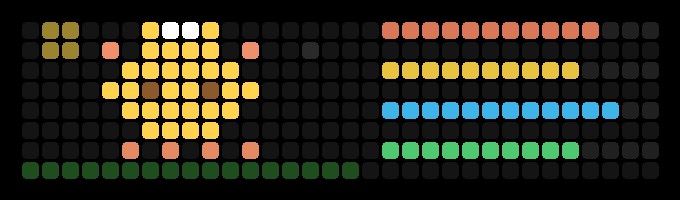
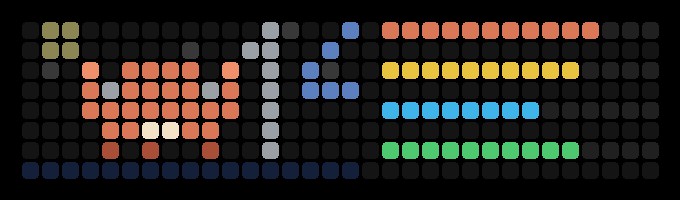
- Grows old: how well you raise it decides the rest of its life. A happy adult becomes an elder with a long old age and, if it stays healthy and well cared for, a golden legend; a normal adult becomes an elder too; a neglected (grumpy) adult never grows old. Old age ends peacefully, then a new egg - a legend's egg gets a head start.
- Five difficulty levels, named after Quake III Arena: I Can Win, Easy, Medium, Hard, Nightmare. Balanced by simulating whole lives: on every level a caring player can raise a legend.
- Home Assistant: one MQTT message adds a Clawd device with its stats, what comes next, care buttons and every setting; a two-page demo dashboard is included.
- Settings everywhere: change them in n8n, in Home Assistant, over MQTT, or (name and sound) on the clock.
Modes
| Mode | What runs where |
|---|---|
| View (this flow) | the clock draws Clawd, n8n runs the rules. Smooth animation and Star Catch |
| Push | n8n draws everything, nothing installed on the clock |
| Device | everything on the clock, no n8n |
Install (view mode)
- On the clock: turn on MQTT and note the prefix. Delete the original Clawd if you have it.
- In n8n: create an MQTT credential for your broker, import this flow, pick the credential in every MQTT node, set
AWTRIX_HOST(your clock's IP) in the Settings node, and publish the workflow. - On the clock: Scripts -> New script named
clawd, pastedist/clawd.axfrom the repo, save. On a clock short on memory: restart it, save the script the moment the web UI answers, then restart once more.
Full install instructions - every mode (view, push, device), Home Assistant, the screen mirror, installing with the APIs, upgrading without losing your pet, switching modes: https://github.com/aXistem-dev/clawd-hybrid-pet/blob/master/docs/INSTALL.md
Press select on Clawd to open the menu, press again for the next item, wait 2 seconds to do it.
Repository: https://github.com/aXistem-dev/clawd-hybrid-pet
Credits: game, art and idea by Blueforcer; off-device port by Moepchi.
Sign in to view and copy the code of this flow.
Discussion 0
Ask a question, suggest a change or share how you use it.
No comments yet. Start the conversation.
Have an idea?
Sign in to ask questions and join the conversation.